I enjoy working on editor tools inside of Unity. I’m always looking for struggles in my development process to see where I can improve things. Something I came across when working in large scenes, is how annoying it can be to select an object in the scene. I either have to click a hundred times to finally select the correct object, or search in the inspector, where things might not always be named in an optimal way.
To solve this issue, I did some research and found some Unity packages that solve this issue. That proved to me that it was possible to create this kind of editor functionality and like a nice challenge. Like any tool I made before, I made a checklist of things I want the tool to do and how I should feel when used.
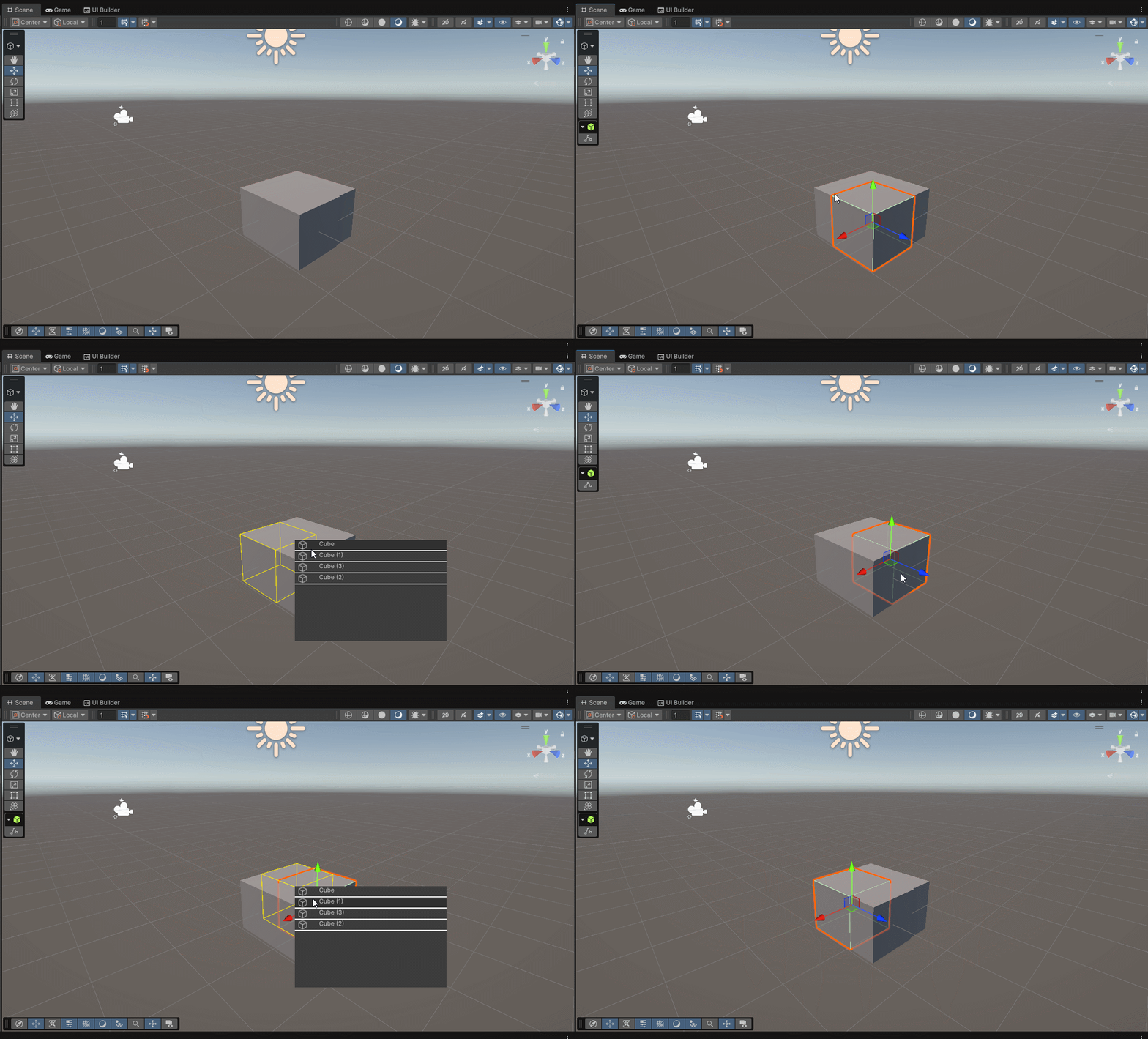
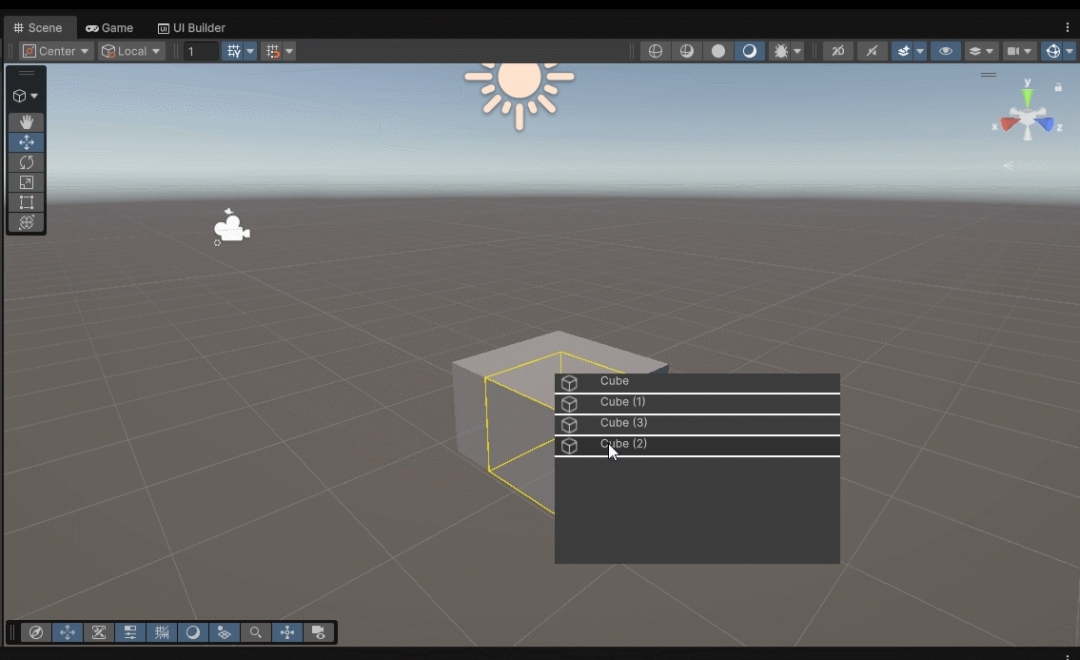
This tool allows the user to use Alt + left click somewhere in the scene. This will gather all of the objects that are on that position. A context menu will open on the location where the user clicked, listing all of the clicked objects. The elements in this list contain the name and icon, straight from the inspector. Clicking on an entry, will close the context menu, and select the object in the hierarchy.
To help the user in selecting the correct object, hovering over an element will add a bounding box around the object in the scene.
This tool is something small, but has a big impact on productivity. This allowed me to explore the inner workings of the Unity editor and extending the base behaviour. These kinds of projects are the things I enjoy the most, tools that others can use in their pipeline.
