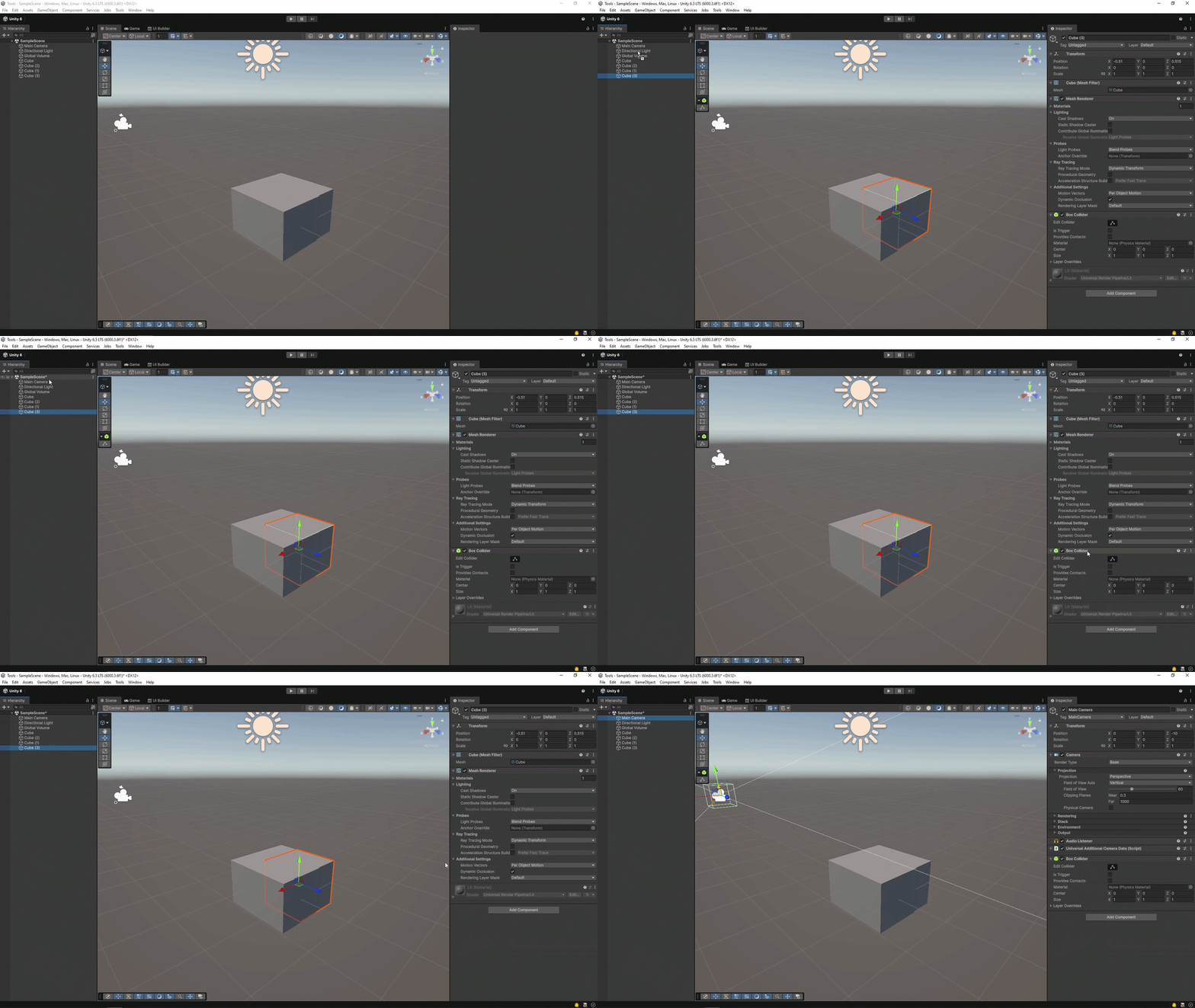
I work in Unity a lot. One thing I do often, is to copy a component from one object to another. To do this in Unity it takes 5 clicks to do so. I felt that this could, and should, be a smoother operation.
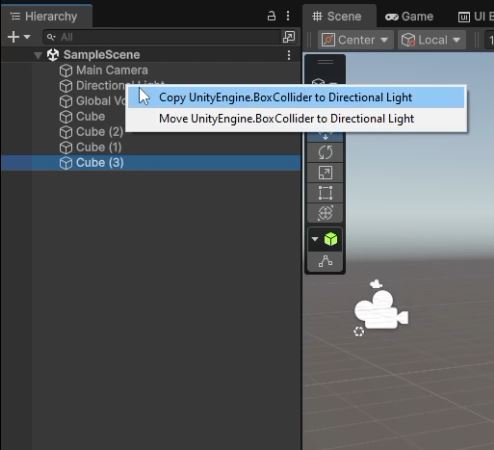
That’s how I came to a tool that allows just that, a component dragger. This tool allows users to drag a component from the inspector, onto an object in the hierarchy. Releasing the component opens up a context menu. In this menu, the user can choose to copy or move the component.
When selecting copy, the component, with its values, is copied onto the second object. This makes it so that both objects have the same component with the same values.
When selecting move, the component, with its values, is moved to the second object. The original object’s component is deleted. Only the second object will have the component.
The goal of this tool was to improve the workflow when working with objects and components. This tool allows just that. After using it in 1 project, I can’t live without it any more.
